
Scribe2025
Ask Scribe AI
Scribe’s core product relied on the captured and shared knowledge of individuals, teams, and their limited community to provide step-by-step guides that others could find and reference. This meant that if the knowledge wasn’t captured already then the user had to figure it out on their own, find someone else who might know or find out how elsewhere on another platform.
Ask Scribe AI set out to remove the knowledge dependency and explore how AI could generate the guides when users got stuck without a previous one existing and giving them day one value. It became one of Scribe’s first AI-native product surfaces.
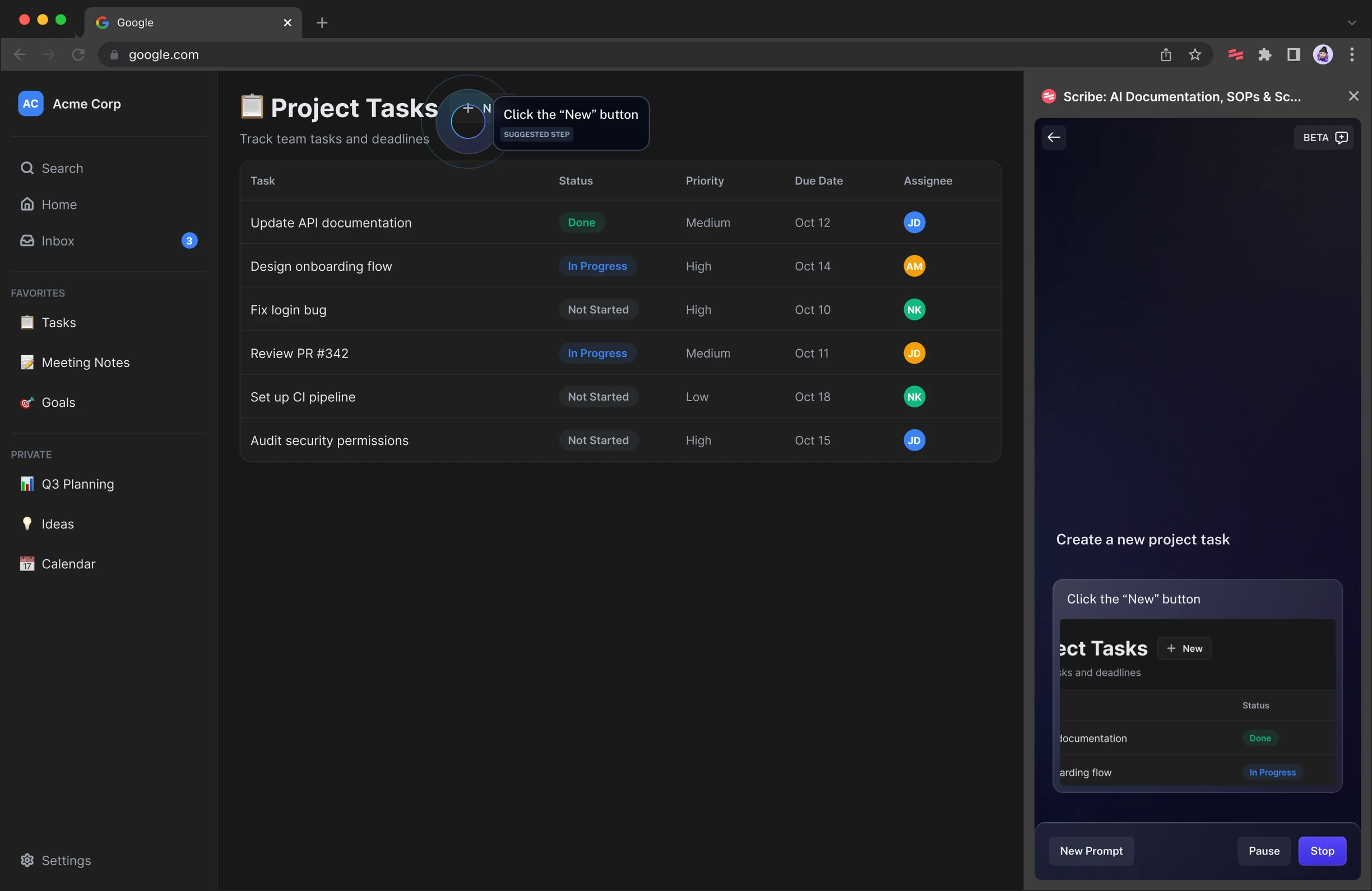
Project Goals
Get users to a completed task without failing and keeping users trust high when the guidance was not confident.
Establish new system components and interaction patterns for AI surfaces, since nothing like this existed in the product yet.
Role
Lead Product Designer
Team
1 Designer, 2 PMs, 5 Engineers
Tools
Figma, Cursor, ChatGPT
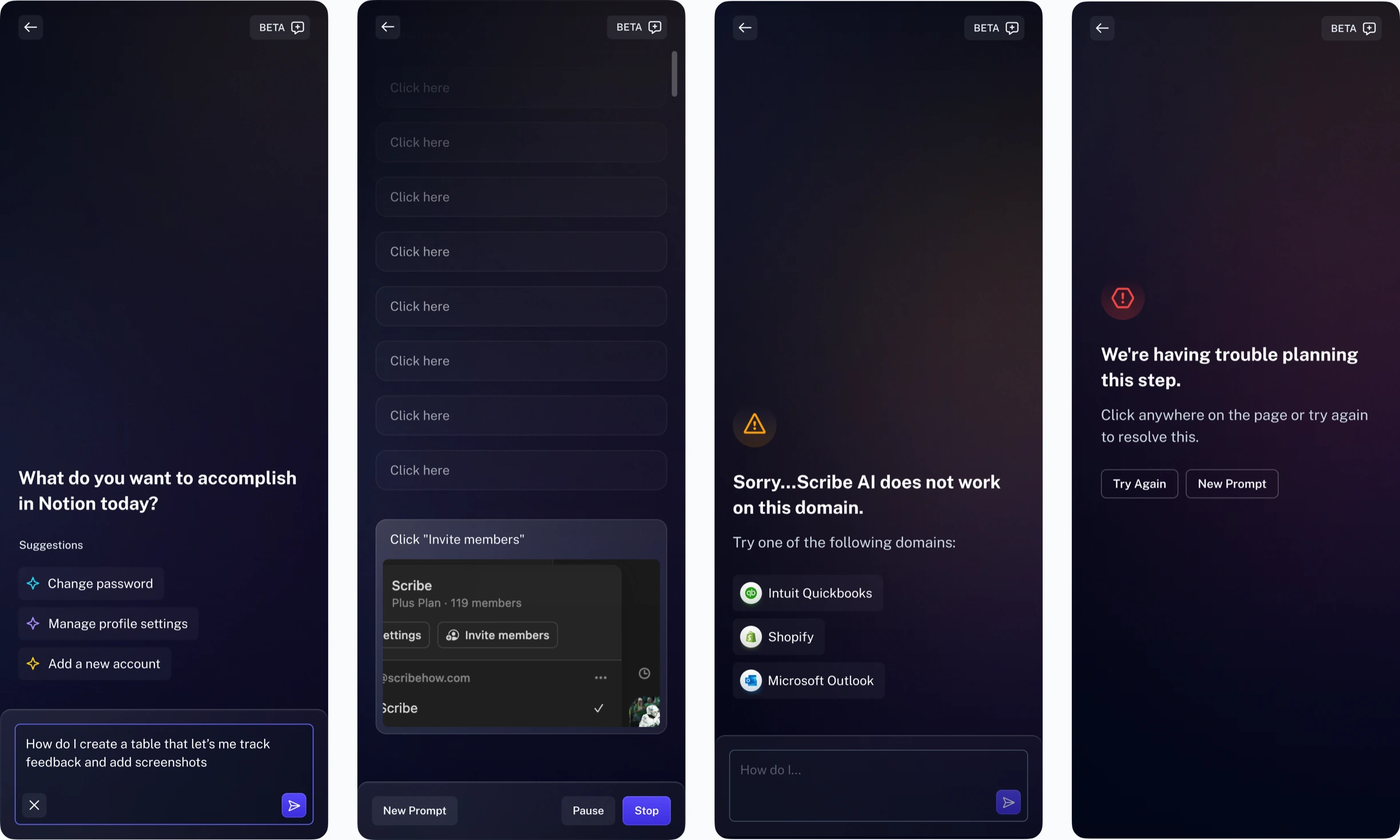
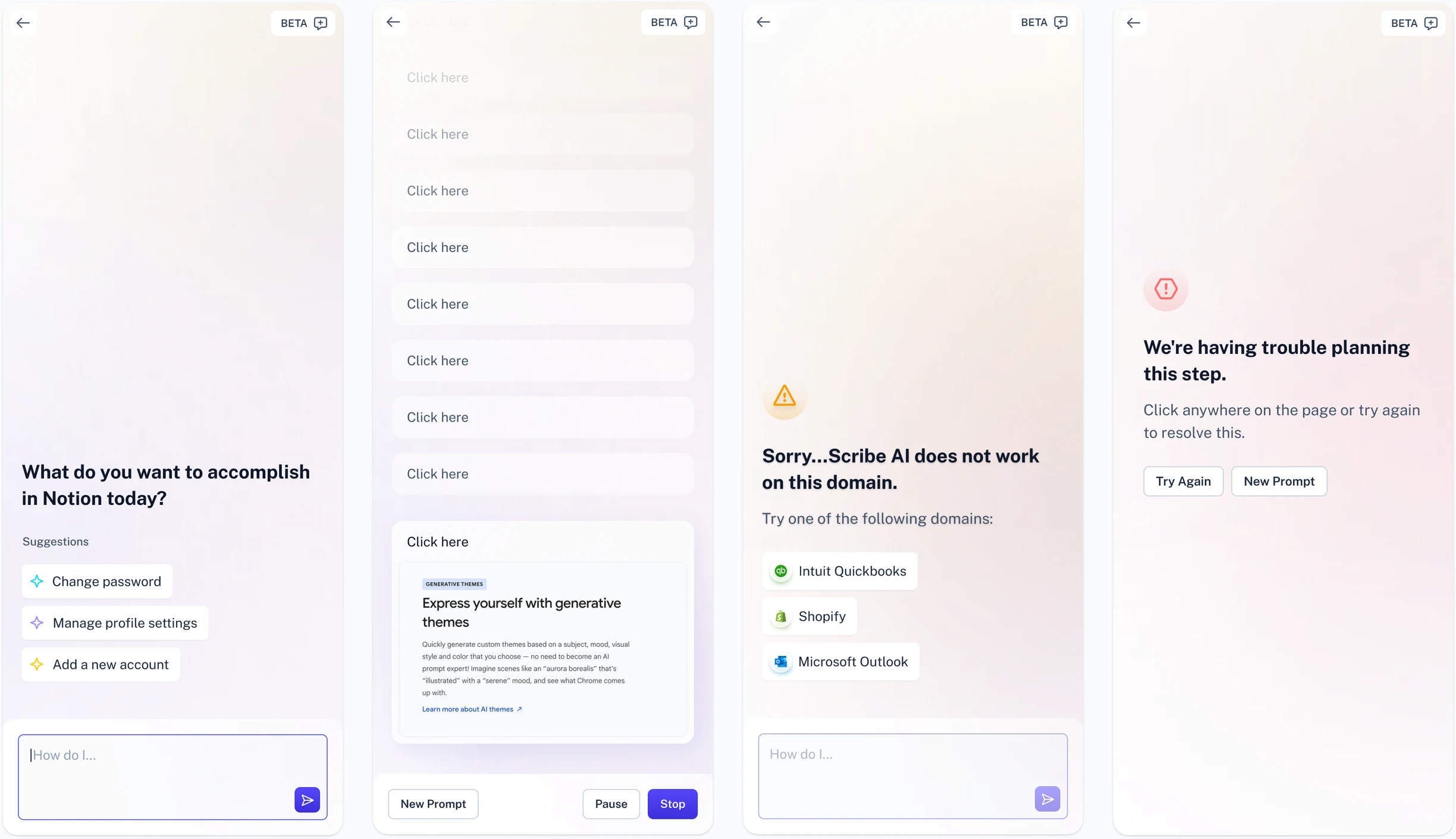
First Steps
We started by building a proof-of-concept prototype to bring to stakeholders and the broader team. My first approach was a fully conversational UI where users would prompt the workflow they wanted, and the assistant would return the steps.
Stakeholder feedback pushed back on that direction. They wanted to remove any personality-like elements such as "thinking." The main concern was that a fully open conversational interface risked setting the expectation that the assistant could answer anything, the way ChatGPT or Claude could, when in reality it was scoped to specific in-product workflows. That became a real constraint on how we could handle some key interaction points and returned information, and it shaped everything that came after.
Design Considerations
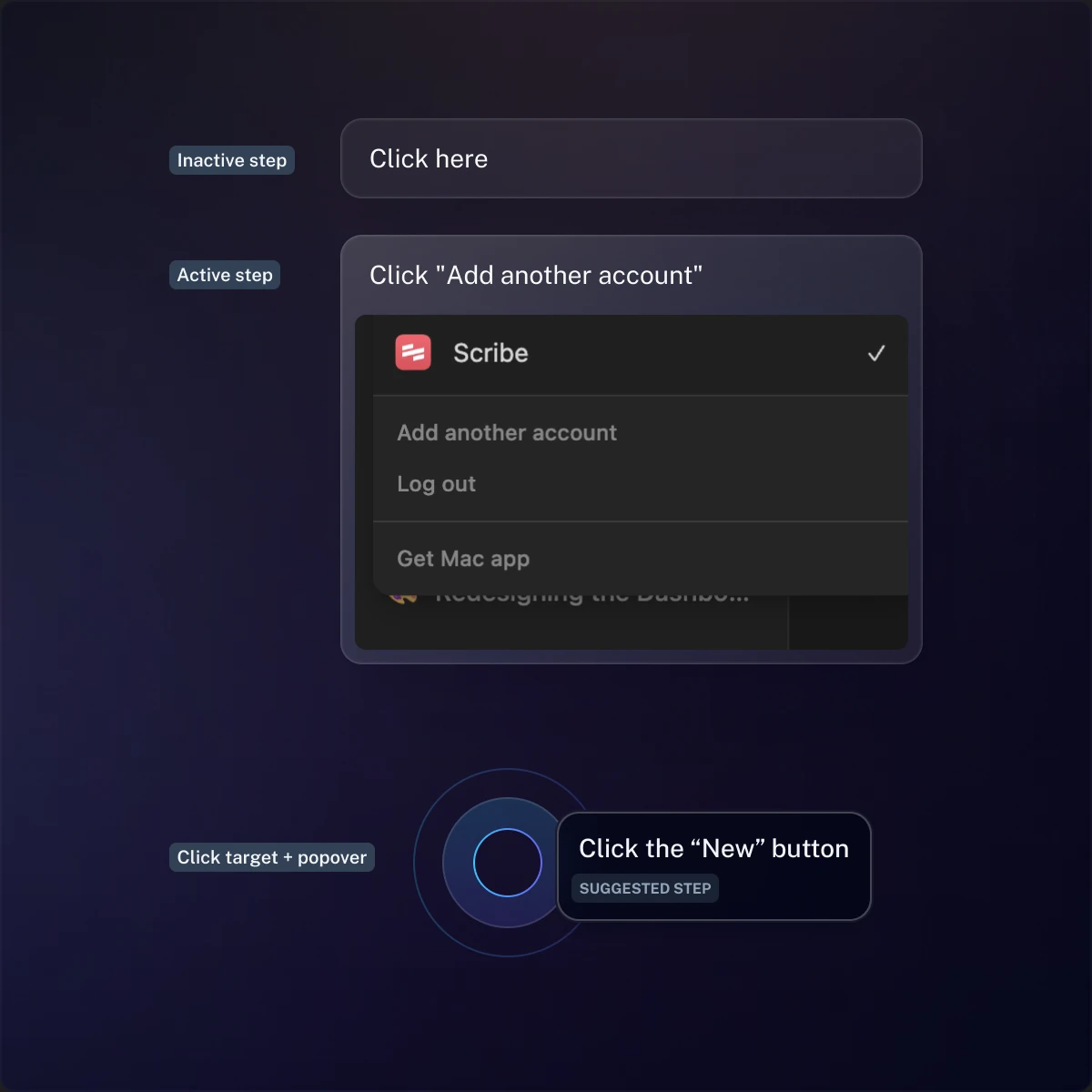
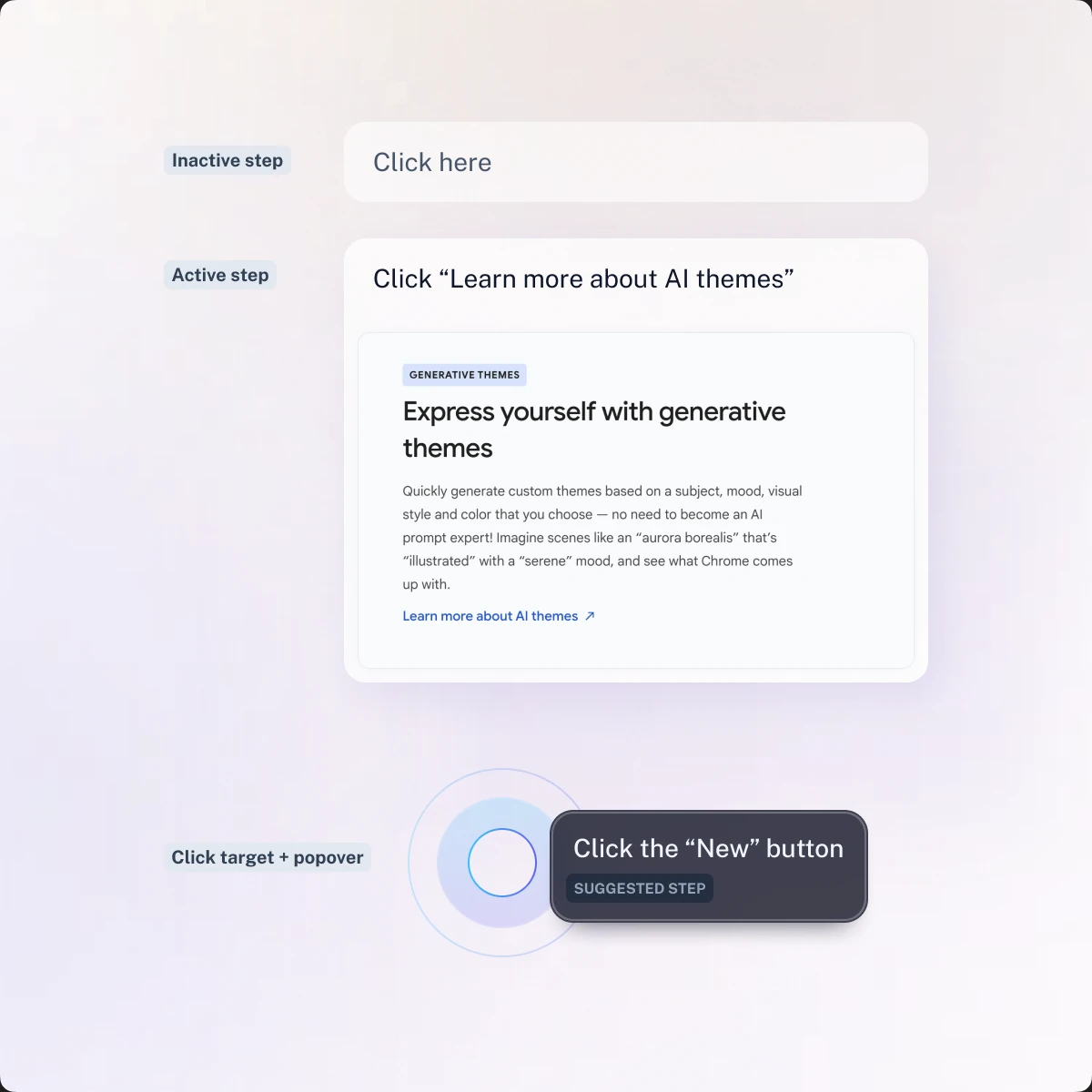
As the design matured, I looked at how to bring in our newer branding treatments and where motion could help direct attention and add small moments of delight. Using motion was my solution to some feedback we had with the Guide Me feature where the guidance UI wasn't as easily discoverable on every screen.
For Ask Scribe AI, I wanted to use motion more deliberately to draw focus to where it needed to be whether it was the active step or messaging that needed the user's input.
User Feedback
Early testing surfaced a different problem: users often didn't know what to prompt, or how to phrase it in a way the assistant could act on. The solution I added were suggested prompts for common workflows for the site or app the user was on. The goal was to both lower that barrier and give us a way to steer testing toward workflows we could fully validate.
What went well & what didn't
After our initial project timeline, users completed 80–90% of the workflows they attempted on the domains we built and tested around.
However, performance dropped on less common or more complex sites, which was expected given the feature was still early.
Ask Scribe AI was still in beta when I left Scribe, so I don't have complete post-launch numbers to report here.
Reflection
If I did this again, I'd push back harder on the early feedback that steered us away from a more conversational interface. Conversational AI patterns are far more familiar to users now than they were when we started, and holding that ground earlier would have saved time getting the UI into a testable state.
This project taught me a lot about how much effort goes into the model behavior and how design can be a thoughtful partner in creating a great experience for users.